Container scanning that surfaces issues, not alerts
Fencer scans every container image in your registry nightly and groups related CVEs into a single actionable finding. No wall of individual alerts. A clear list of what needs fixing, with severity ratings and remediation steps included.
Why Fencer?
Container scanning without the noise
Fencer groups related CVEs into a single actionable finding. Severity ratings and remediation steps included.
Connect your registry and every image gets scanned nightly. No CLI to configure, no pipeline to change, no Dockerfile to touch.
All of your startup security essentials covered by one startup-friendly suite.
Capabilities
Know what's in every container image you run
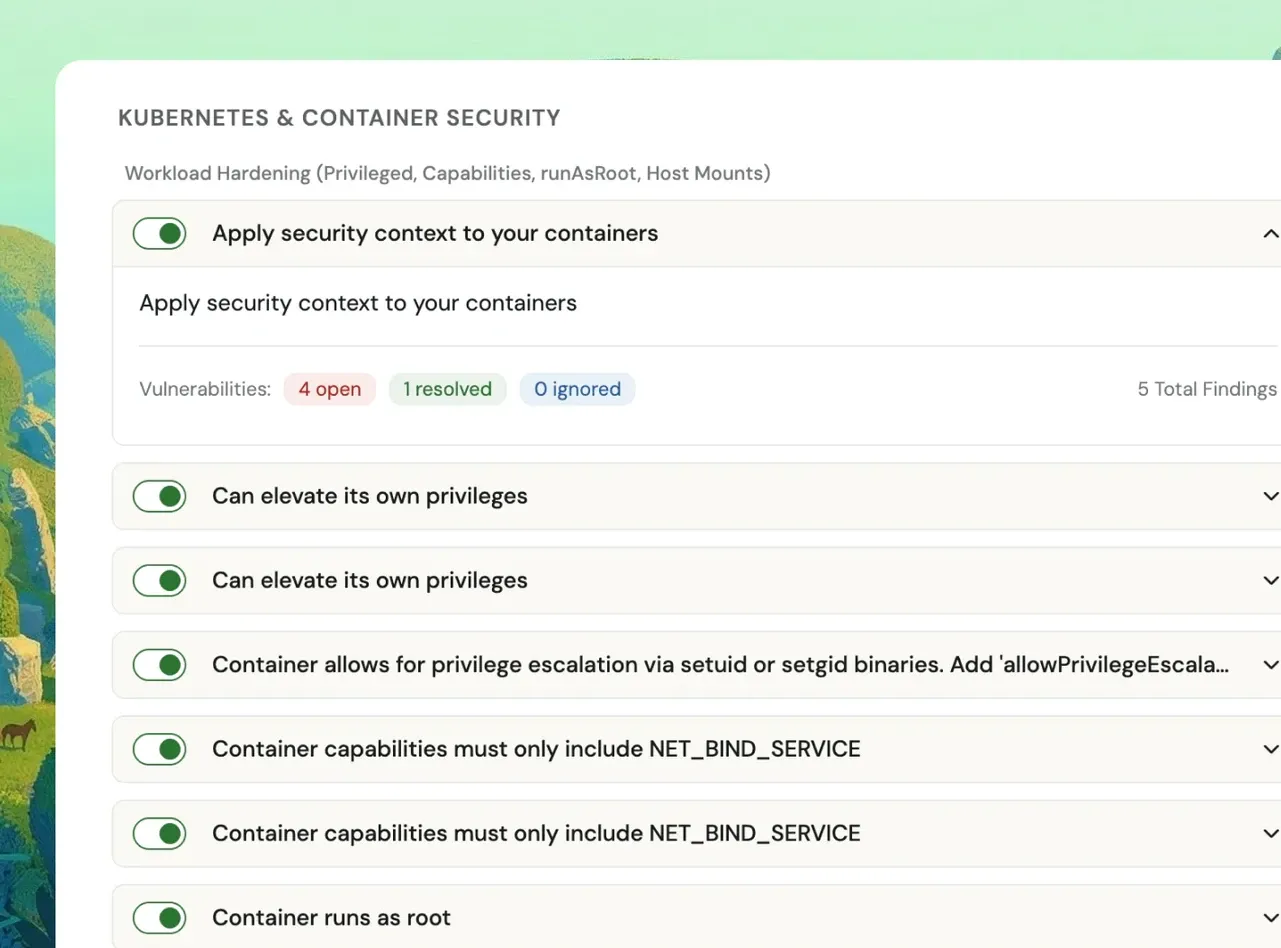
Vulnerability scanning across your container registries
Fencer connects directly to your container registries and scans every image on a nightly schedule. No agents to install, no pipelines to change. Connect the registry and the scans start.
- Supported registries: AWS ECR and GCP Artifact Registry via native integrations; Azure ACR, DigitalOcean, Docker Hub, and any OCI-compatible registry via the OCI integration
- Nightly scheduled scans: Every connected image is scanned automatically; trigger a manual scan on demand at any time
- Scan All: Kick off a fresh scan across all connected artifacts in one action
- Environment labels: Images tagged by environment (production, staging) so you know exactly where each finding lives
CVE findings grouped into one actionable record
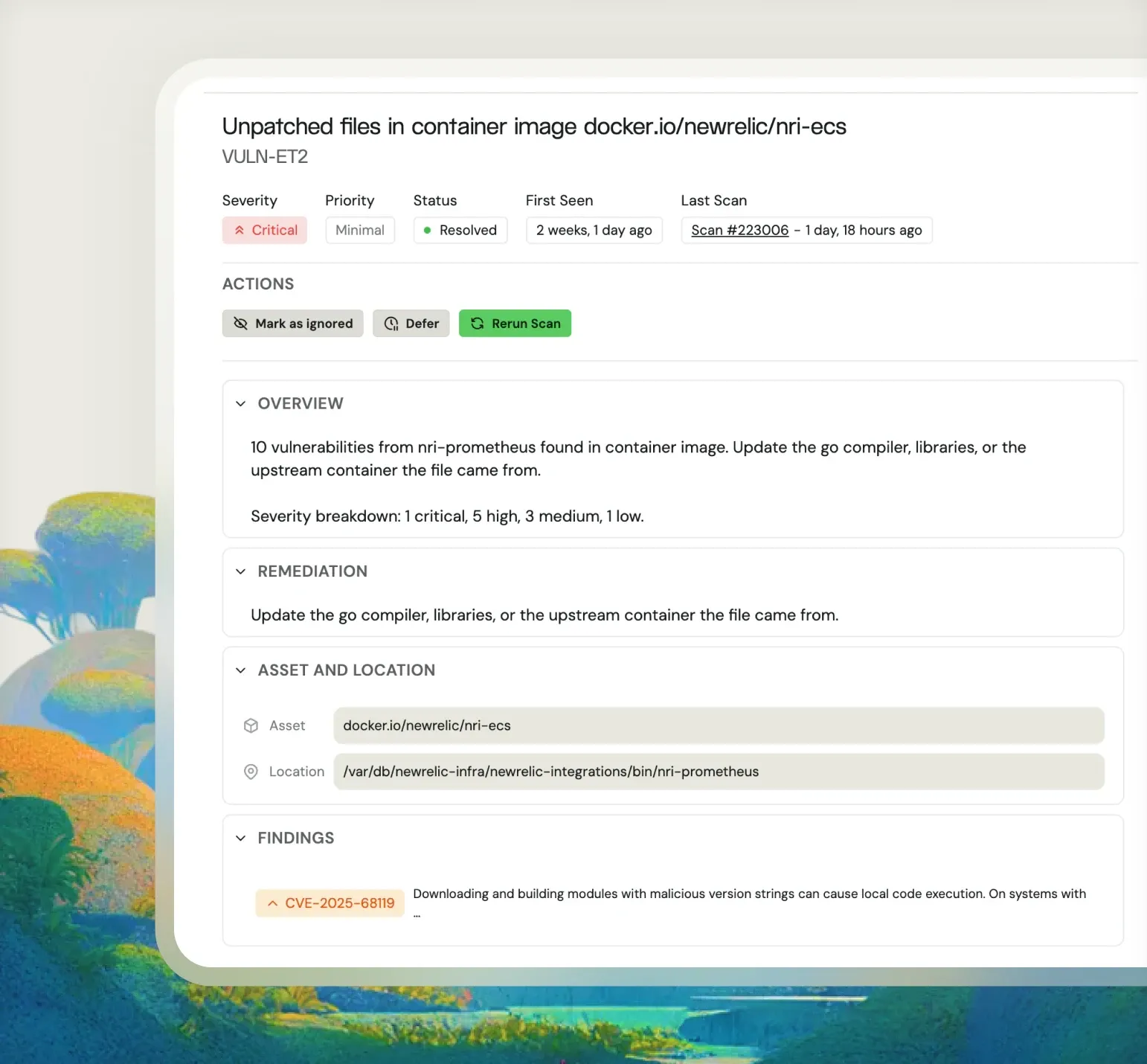
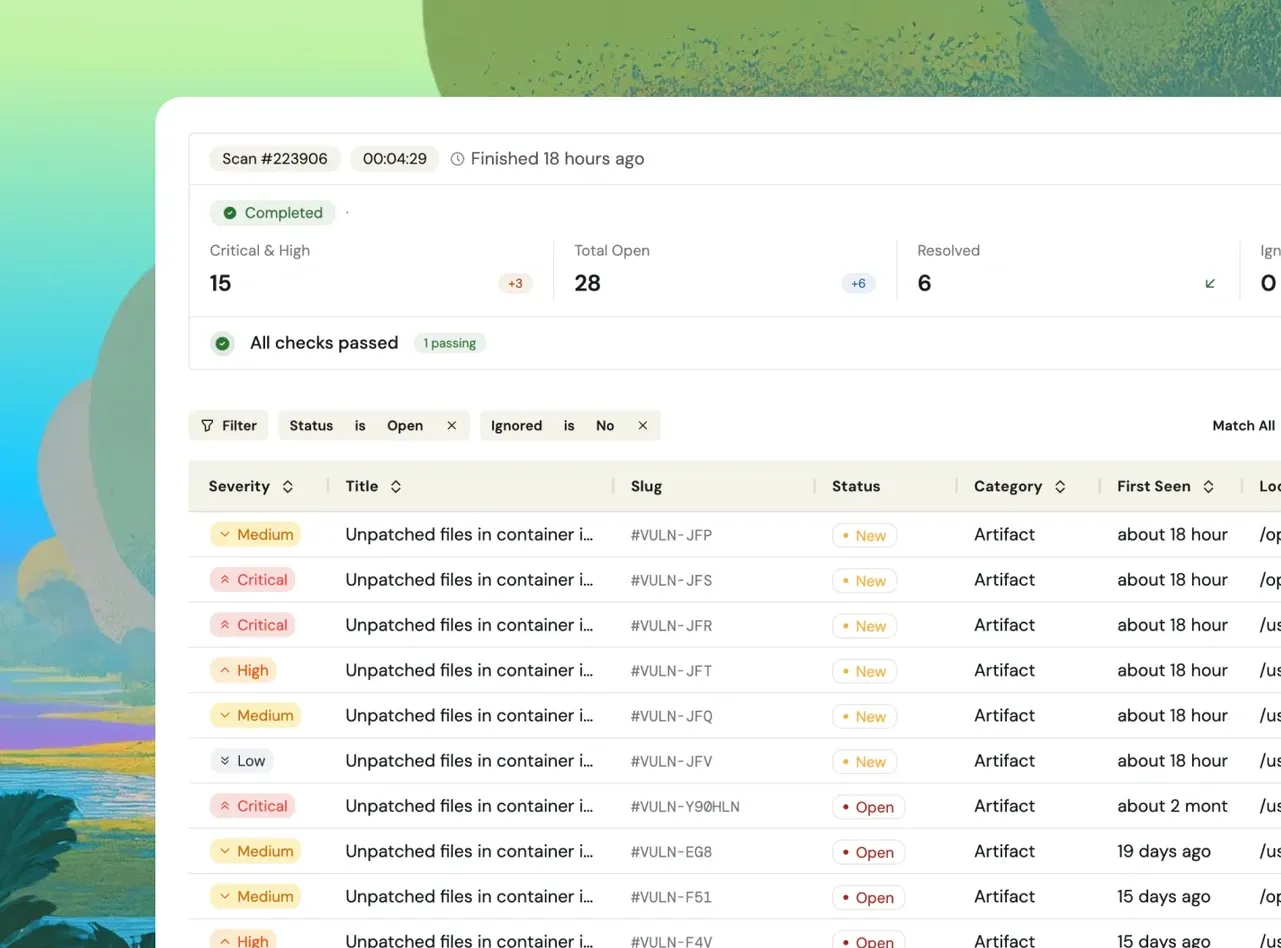
Instead of a wall of individual CVE alerts, Fencer groups related vulnerabilities into a single finding with a severity rating, a plain-language description, and specific remediation steps. Each finding also lists every contributing CVE for full traceability.
- Severity ratings: Critical, High, Medium, and Low so you know what to fix first
- Plain-language overview: Each finding describes the vulnerability and breaks down severity counts (e.g., 3 critical, 21 high, 22 medium, 2 low)
- Remediation guidance: Specific steps per finding, not generic advice
- Individual CVE detail: Drill into any finding to see every contributing CVE with its description and impact
Track vulnerability trends across every image
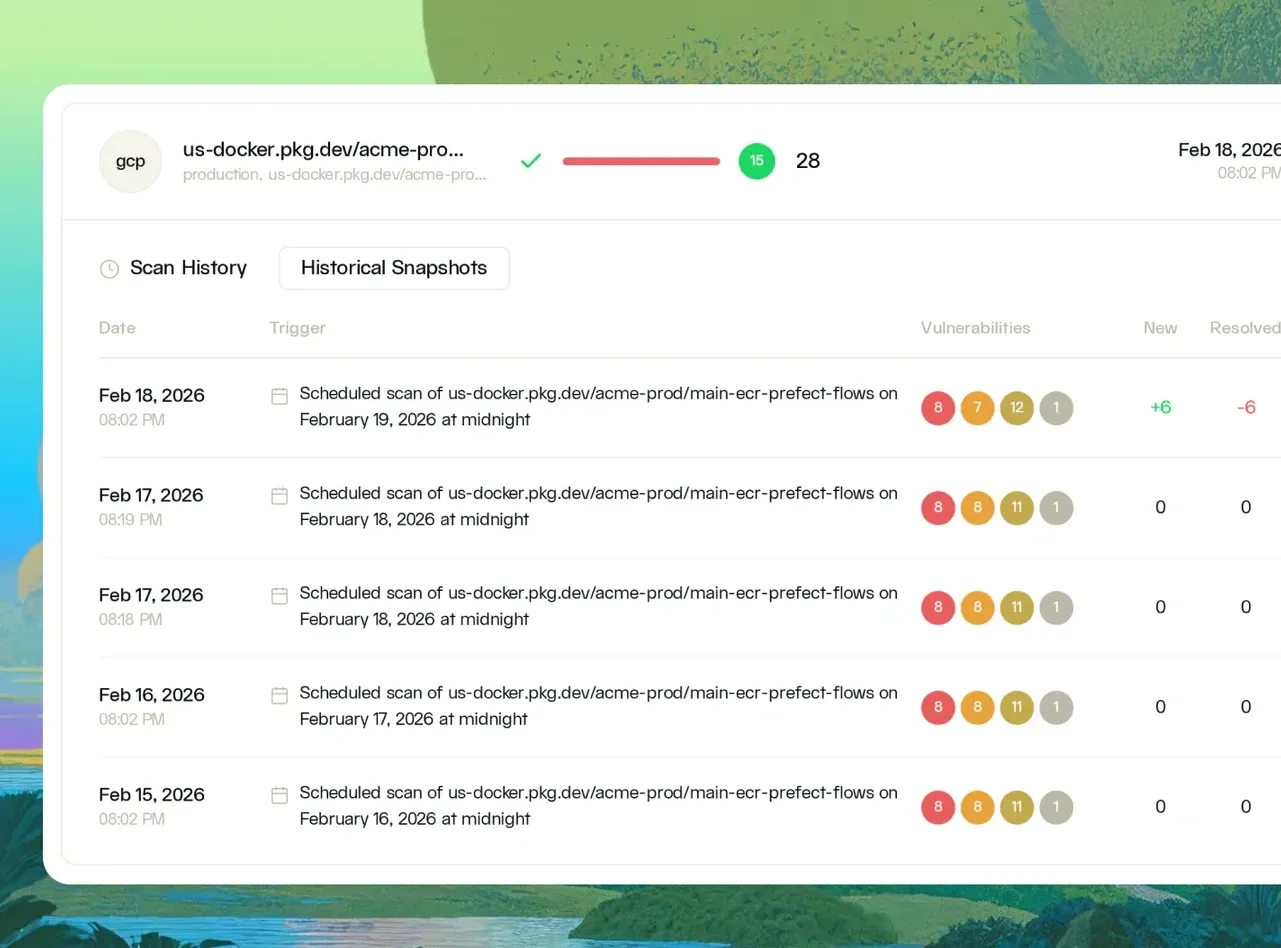
Every artifact has a full scan history showing vulnerability counts, new findings, resolved findings, and ignored findings for each scan. A trend sparkline on the artifacts list shows at a glance whether each image is getting cleaner or accumulating risk.
- Per-image scan history: Date, trigger, total vulnerabilities, new, resolved, ignored, and scan status for every scan run
- Trend sparkline: Visual vulnerability trend per image. See immediately whether things are improving or worsening.
- Historical snapshots: Navigate back to any prior scan to see the exact vulnerability state at that point in time
- Critical/High count: Prominently surfaced per image so the most important signal is always visible
What can you do with Fencer's container scanning capabilities?
Know what CVEs are in production before anyone asks
When a new CVE drops, you need to know immediately which images are affected. Fencer gives you a current vulnerability inventory for every production image, updated nightly.
Verify a base image upgrade actually helped
Upgrading a base image should reduce your vulnerability count. Fencer's scan history and trend tracking shows you before and after, so you know the upgrade did what it was supposed to.
Answer security questionnaires about container scanning
Enterprise customers and healthcare partners routinely ask whether your containers are scanned, how often, and whether findings are tracked. Fencer gives you documented answers.

“Almost immediately after working with Fencer, we found a couple critical vulnerabilities in our infrastructure that we were lucky to never have had a real outcome from. We immediately fixed those.”
- David Merritt, CTO, Watch Duty
Take Fencer for a spin
Start a free trial in minutes, or book a demo for a guided tour.