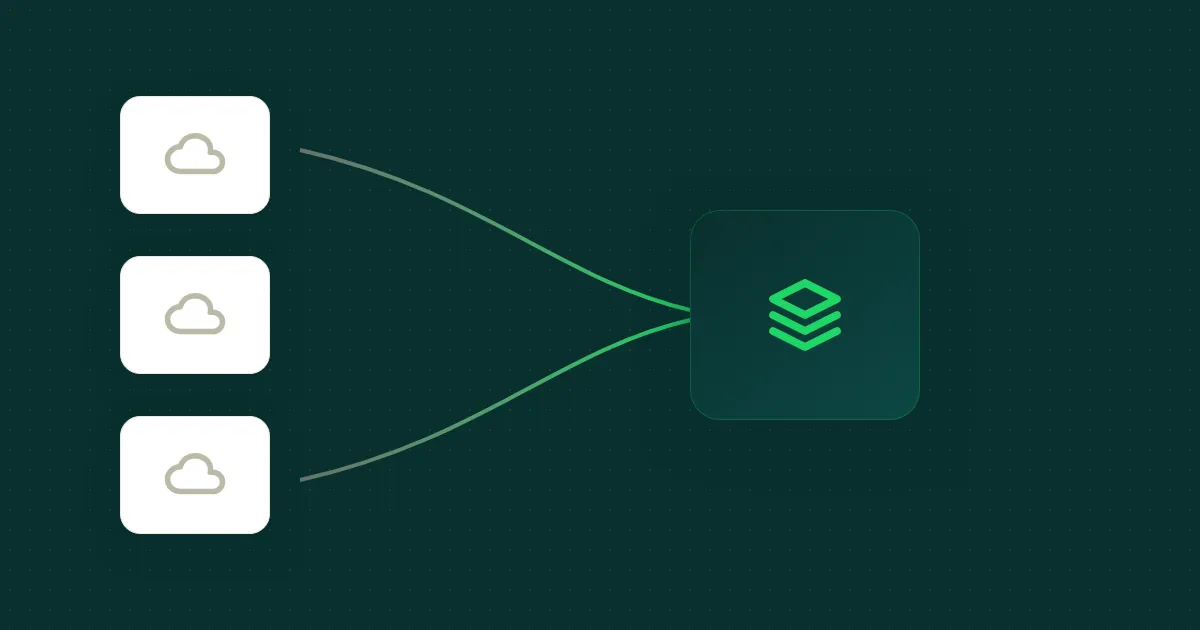
Three clouds, one detection engine, hundreds of customer environments. Here's what's actually similar and what isn't.
The setup
We run a detection engine across hundreds of customer environments on AWS, GCP, and Azure, usually a mix of all three. Every environment's security-relevant logs (CloudTrail, VPC Flow, audit, sign-in, firewall, DNS, and more) need to land in one place where a single detection rule works against any provider.
That place is Snowflake, with three columnar tiers (RAW to STAGING to MARTS) and a normalization layer on top. The detection engine is provider-agnostic. The ingestion layer that feeds it is not.
Each cloud is its own beast. They share zero native primitives. Yet they all need to converge on the same warehouse schema without leaking the differences upward. Here's what that looks like from the inside.
The common target
Before the per-cloud differences, the shared destination:
Bottom line: AWS gives you storage + notifications for free. GCP gives you uniform JSON but forces you to build the export. Azure forces you to read instead of write. Everything else is plumbing.
Every row in RAW and STAGING, regardless of provider, carries a fixed set of metadata columns:
| Column | Purpose |
|---|---|
ORGANIZATION_UID | Multi-tenancy partition key |
_DATA_SOURCE_TYPE | e.g. aws_cloudtrail, gcp_audit |
_DATA_SOURCE_IDENTIFIER | One per customer-source instance |
_DATE / _DATETIME | Event time (parsed once at ingest) |
_CREATED_AT | Ingestion-time timestamp |
_ID | Hash-derived deduplication key |
This is the contract. Everything upstream, three different cloud ingestion pipelines, exists to put rows that satisfy this contract into the right RAW table.
AWS: cross-account S3 + Snowpipe
The thing that makes AWS the easiest cloud to ingest from: the customer already produced the logs. AWS log destinations are almost always S3 buckets the customer owns. You don't need to ask them to create new exports, just to grant access. Cross-account auth is STS AssumeRole with a per-tenant ExternalId, the canonical confused-deputy mitigation. Your S3 bucket has an SNS topic on s3:ObjectCreated:*; Snowpipe auto-ingests from there.
We ingest eight source types today, CloudTrail, VPC Flow, ALB access, ALB connection, NLB access, S3 bucket access, RDS PostgreSQL standard, and Route 53 DNS query logs, and each one needs its own parser. CloudTrail is JSON gzip. VPC Flow is Parquet. ALB/NLB/S3 access logs are whitespace-delimited. Eight formats, eight parsers. Each new log source is real engineering work, not a config change.
The entire pipeline is built around the fact that AWS already gave you two of the three primitives you need: durable storage (S3) and a notification fabric (SNS / S3 events). You just have to plumb them across account boundaries with AssumeRole. There's no log-routing decision to make on the customer side because AWS services already write to S3 by default.
The pain points are operational. ExternalId rotation is a manual customer-facing process, if a customer regenerates theirs, ingestion silently breaks until they update it on your side. At enough customers, you start hitting STS throttling and need to cache short-lived credentials per role.
The customer creates an IAM role whose trust policy pins a per-tenant ExternalId:
{
  "Version": "2012-10-17",
  "Statement": [{
    "Effect": "Allow",
    "Principal": { "AWS": "arn:aws:iam::<YOUR_ACCOUNT_ID>:root" },
    "Action": "sts:AssumeRole",
    "Condition": {
      "StringEquals": { "sts:ExternalId": "<PER_TENANT_EXTERNAL_ID>" }
    }
  }]
}
The role's permission policy is the boring part: s3:GetObject / s3:ListBucket on whichever buckets hold their logs. The interesting bit is the trust policy, it's where the confused-deputy mitigation actually lives.
GCP: log sinks + Pub/Sub + GCS
Unlike AWS, GCP logs live in Cloud Logging by default. To get them out, you create a log sink in the customer's project that publishes to your Pub/Sub topic. This is the key difference: the customer has to create the export. AWS hands you the logs in S3; GCP makes you build the pipeline that moves them.
The plumbing is a two-tier Pub/Sub structure. The customer's sink writes to a per-customer ingest topic. A Cloud Storage subscription batches those messages into JSON files in a GCS bucket every 60 seconds. Then a separate, environment-shared notification topic fires on OBJECT_FINALIZE events and triggers Snowflake's GCP notification integration. We Terraform-manage a single shared integration per environment because Snowflake historically caps notification integrations at ~10 per account, data isolation happens at the pipe/stage level, where each pipe's stage URL points at the customer's specific bucket.
The format story is the opposite of AWS: everything is JSON. Cloud Logging exports as newline-delimited JSON no matter what the source is, so a single parser pattern handles all log types, Cloud Audit, VPC Flow, Cloud Storage access, Firewall Rule, Cloud Armor, Cloud DNS, and Cloud SQL logs. The STAGING schema differences are field-extraction differences, not format differences.
Cross-project auth is IAM grants, not role assumption. Three identities to wire up:
# 1. Customer's sink writer SA → publish into your ingest topic.
resource "google_pubsub_topic_iam_member" "sink_writer" {
  project = var.your_project
  topic   = google_pubsub_topic.ingest.name
  role    = "roles/pubsub.publisher"
  member  = "serviceAccount:${var.customer_sink_writer_sa}"
}

# 2. Your project's GCS service account → publish bucket events.
resource "google_pubsub_topic_iam_member" "gcs_publisher" {
  project = var.your_project
  topic   = google_pubsub_topic.notification.name
  role    = "roles/pubsub.publisher"
  member  = "serviceAccount:${data.google_storage_project_service_account.gcs.email_address}"
}

# 3. Snowflake's notification-integration SA → consume the subscription.
resource "google_pubsub_subscription_iam_member" "snowflake_subscriber" {
  subscription = google_pubsub_subscription.notification.name
  role         = "roles/pubsub.subscriber"
  member       = "serviceAccount:${snowflake_notification_integration.gcp.gcp_pubsub_service_account}"
}
The customer-side grant (#1) is the only one that crosses the trust boundary. It's also the one that bites you: GCP generates a unique service account for each sink, and granting that account pubsub.publisher takes a moment to propagate. If your setup flow is too eager, the first events get rejected and lost.
Two more pain points worth knowing. Log sink filter expressions containing / (e.g. compute.googleapis.com/firewall) must use the URL-encoded form or proper quoting, otherwise they silently return zero events, discoverable only by getting zero log lines and reverse-engineering why. And there's no backfill story: log sinks only deliver events created after the sink exists.
Azure: customer-owned storage + cross-sub read
This is the one that breaks your intuition coming from AWS or GCP. The customer owns the storage that Diagnostic Settings writes to. We do not try to make Diagnostic Settings deliver across the trust boundary, that path silently fails. Instead, the customer's logs land in the customer's storage account, and your code reads cross-subscription.
The full failure-to-fix arc is in the companion post. The short version: Azure Diagnostic Settings cannot reliably write across subscriptions or tenants, despite what the portal lets you configure. The fix is to let Azure write same-subscription (which always works) and read across the boundary instead.
When a new PT1H.json blob lands, Event Grid fires a BlobCreated event into a Storage Queue on the customer side. Your poller drains the queue, downloads the blob with a least-privileged service principal (Storage Blob Data Reader + Storage Queue Data Message Processor), and re-uploads it as a BlockBlob into your landing zone. The re-upload matters: Diagnostic Settings writes AppendBlobs, which interact badly with Object Replication, lifecycle policies, and Snowflake. There's no Azure equivalent of ExternalId; trust is enforced by which tenant the service principal belongs to and what roles it has been granted.
The pain points are sharper than the other clouds. Entra ID logs have a 5-15 minute latency floor, even a perfect pipeline can't get fresher than Microsoft's own log-export pipeline. Diagnostic Settings' AppendBlobs mean re-uploading is not optional. And the customer-side bootstrap requires elevated permissions at the directory level (Security Administrator), the subscription level (Monitoring Contributor), and on the storage account (Storage Account Key Operator + listkeys), which creates a multi-step onboarding flow you have to design carefully.
Where the clouds actually differ
Three pipelines, and the differences that matter come down to three rows: where the customer's logs already live, how you authenticate across the trust boundary, and what breaks silently.
| Aspect | AWS | GCP | Azure |
|---|---|---|---|
| Customer export | S3 (already exists) | Log sink (you create) | Diagnostic Settings (you create, customer-side) |
| Cross-account / tenant auth | STS AssumeRole + ExternalId | IAM grants on Pub/Sub + GCS | Service Principal with Storage RBAC roles |
| Confused-deputy mitigation | ExternalId | Per-tenant sink-writer SA | SP per tenant with scoped role assignments |
| Intermediate storage | Your S3 bucket | Your GCS bucket | Customer storage + your landing-zone storage |
| Notification trigger | SNS to Snowpipe | Pub/Sub to Snowpipe | Event Grid + Queue to poller to Snowpipe |
| Shared infra per environment | None | Notification topic + integration | Notification integration only |
| Log formats | Mixed (JSON, Parquet, CSV, text) | All JSON | All JSON (PT1H.json, AppendBlob) |
| Task frequency | ~10 minutes | ~2 minutes | (event-driven; per-blob) |
| Backfill support | Yes (dedicated backfill task) | No | Possible (read-existing-blobs flow) |
| Worst footgun | ExternalId rotation breaks silently | URL-encoded filter expressions | Cross-sub Diagnostic Settings silently fails |
| Ease of onboarding | Low friction (logs already exist) | Medium (sink creation) | High friction (multi-permission bootstrap) |
The row that matters most is the worst footgun: AWS fails loudly at auth time (good), GCP fails silently at filter/grant time (bad), Azure fails somewhere in the middle with the queue acting as a buffer that hides short outages.
Code-path shape
The amount of code each pipeline takes mirrors how much the cloud already gives you for free. From our orchestration entry points:
| Cloud | Setup shape | Why |
|---|---|---|
| AWS | A handful of independent functions (bucket, SNS, policy) | The customer already owns the producer side; your code only wires up the consumer |
| GCP | A single 12-step idempotent orchestrator | You're creating the producer (log sink) and the two-tier Pub/Sub plumbing |
| Azure | A small server-side orchestrator + a multi-step customer-run script | Most setup happens on the customer's side because that's where the storage and Event Grid live |
The interesting tell is GCP's twelve-step orchestrator: every step is idempotent because Pub/Sub IAM propagation, sink creation, and Snowflake integration setup all have their own retry shapes. The whole flow has to be safe to re-run.
What happens when things break
Steady-state pain is one thing. Here's what happens when the floor drops out:
| Failure | AWS | GCP | Azure |
|---|---|---|---|
| Customer rotates trust credential | ExternalId mismatch, AssumeRole denied, ingest stops silently | Sink writer SA regenerated, publishes silently dropped until grant re-added | SP secret rotated, reader gets 401, queue backs up |
| Customer deletes storage / bucket | Snowpipe sees missing object, marks file failed (skips) | Log sink delivery errors logged; data lost for the gap | Poller errors on blob fetch; queue messages eventually dead-letter |
| Customer changes log filter / settings | N/A, they don't filter, you do at COPY | Sink filter change silently changes ingest scope | Diagnostic Settings change immediately reshapes blob layout |
| Snowflake integration breaks | Pipe stalls; backlog drains when restored | Pipe stalls; backlog drains when restored | Pipe stalls; landing-zone keeps growing |
| You hit a quota | STS throttling: cache + back off | Pub/Sub publish quota: batch / retry | Storage Queue throughput: multiple pollers |
Multi-tenant isolation
The piece that is truly shared, regardless of cloud:
- Every row in every
RAWandSTAGINGtable carriesORGANIZATION_UID. RESTRICTED_MARTSviews apply row-level security byORGANIZATION_UID.- The detection engine queries only
RESTRICTED_MARTSfor a single org at a time. There is noWHERE organization_uid = ...in detection rules, it's enforced one layer down. - Cross-tenant leakage would require a misconfigured RLS policy, not a forgotten WHERE clause.
This is worth designing in from day one. Retrofitting per-row tenant filtering across a warehouse with billions of events is significantly worse than starting with the contract.
What we learned
AWS got log destinations right. The fact that S3 is already where the logs are means onboarding is mostly a one-time IAM dance. Compare to GCP and Azure, where you have to create the export pipeline before any data moves.
GCP got formats right. "Everything is JSON, period" makes the STAGING layer enormously simpler. The flip side is the two-tier Pub/Sub plumbing you have to internalize.
Azure got nothing easy. The platform's primitives are powerful, but the cross-tenant story for SIEM ingestion is genuinely under-supported, and you end up reinventing what AWS hands you for free with STS AssumeRole. Microsoft's own SIEM (Sentinel) sidesteps this by using Log Analytics + Lighthouse, which isn't an option if you're not Sentinel.
Snowflake's notification-integration limit is the constraint that actually shapes architecture decisions. AWS and GCP pipelines diverge on whether you create one integration per source or one per environment; both ended up environment-shared because of this.
The Azure pipeline was the hardest to get right, and the one where the platform's own documentation was least helpful. The companion post walks through the full failure-to-fix arc: every approach we tried, why each one broke, and the architecture we landed on.